
New triggers, new integrations, and a stack of fixes across the whole platform. Let's get into May.
Big Features
Framer Integration: Trigger Workflows from Form Submissions
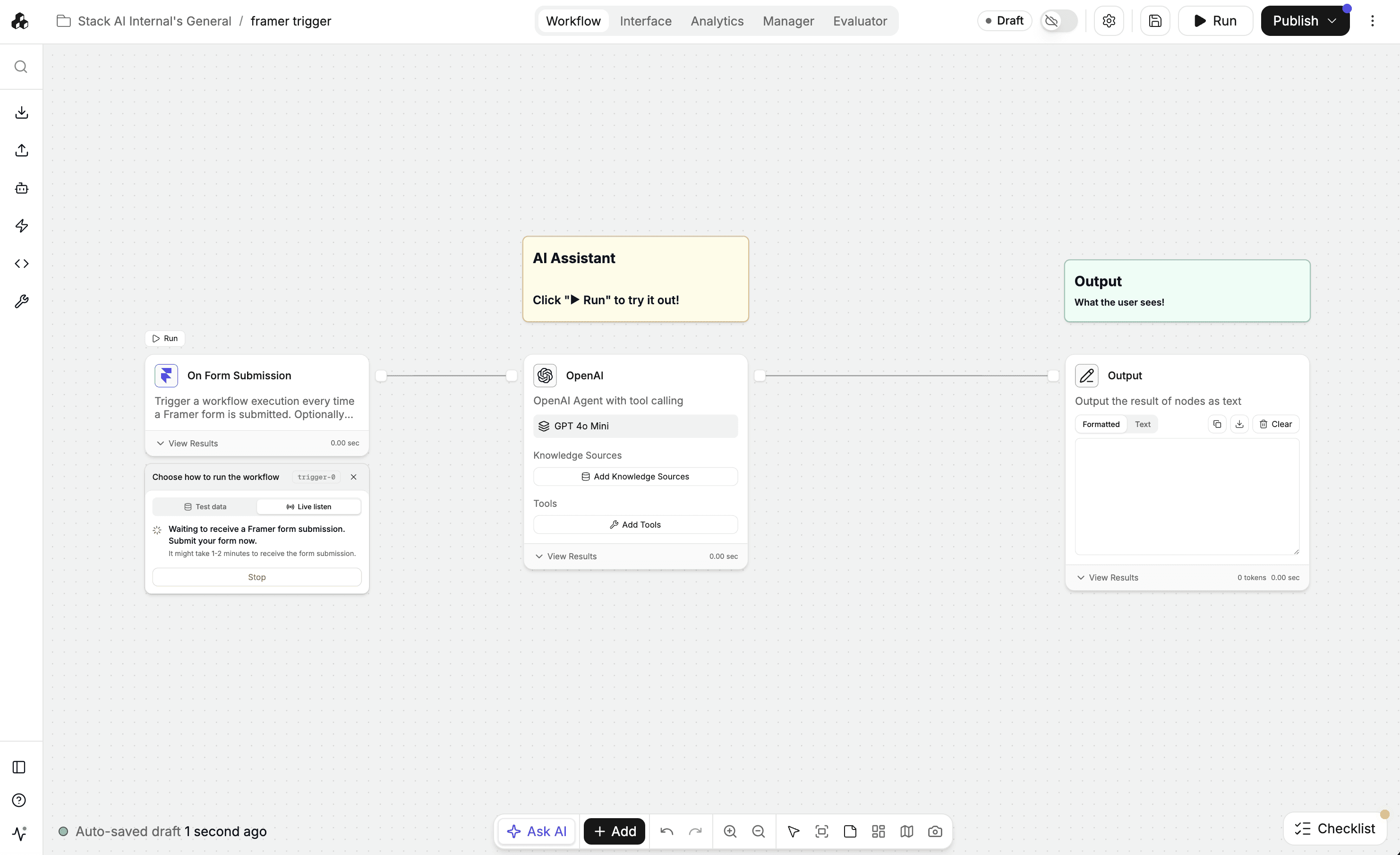
If you build marketing sites or lead-capture pages in Framer, getting those form submissions into an AI workflow used to mean glue code or a third-party automation tool. Not anymore. The new Framer connector ships with an on-form-submission webhook trigger, so a visitor filling out a form on your Framer site can kick off a StackAI workflow instantly - qualify the lead, draft the reply, route the request, whatever you need.
New Integrations & Actions
OpenAI - GPT-5.5
Parallel AI - Research action: structured, cited web research results
Excel - Read Workbook action
Snowflake - DML & DDL write actions (insert, update, delete, table management, CTEs)
Salesforce - Download Files action
Zoom - List Users action
HubSpot - Custom Object Search action
Egnyte - new file actions
OneDrive - recursive file listing, plus Move Files & Folders across OneDrive and SharePoint
SharePoint - List Folder action and JPG/JPEG file support
ServiceNow - Add Attachment action, and record type now included in action outputs
Zendesk - Show Ticket, List Ticket Comments, and Add Comment actions
Outlook - mailbox filtering when reading email
StackAI - Get Flow JSON action for introspecting your own workflows
StackAI - JSON Processor action: extract and transform JSON with jq
Quality of Life
Code Node: Generate JSON and HTML Files
The code node's output file types kept growing this cycle. You can now generate JSON files directly from your code, and HTML has been added to the extension allow list - handy for producing reports, data exports, and rendered pages as workflow artifacts.
SQL Actions: Errors That Tell You What Actually Went Wrong
Database failures used to collapse into a generic "Failed to execute query" message, hiding the real cause. SQL actions now surface the underlying error - including timeouts - so you can tell a bad credential from a slow warehouse from a syntax error at a glance.
Slack Trigger: Webhook URL Front and Center
Setting up a Slack trigger meant hunting for the webhook URL you needed to finish the configuration. It's now surfaced directly in the trigger config, so you can copy it and complete setup without detours.
Knowledge Bases: Stuck Files Now Show as Failed
Files that silently stalled during indexing used to sit in "pending" forever, with the UI and the backend disagreeing about their status. Files that stall during indexing are now marked as failed, so what you see matches reality - and you know exactly which files need a retry.
Data Viewer: Nested JSON Rendered All the Way Down
JSON-inside-JSON used to bottom out as escaped strings in the Formatted tab. The viewer now recursively parses nested JSON, so deeply structured outputs render as clean, browsable trees instead of string soup.
Settings: Smoother SSO and SCIM Setup
Configuring SSO and SCIM for your organization is now a much clearer, more guided experience. Less guesswork during the most sensitive part of onboarding your company onto StackAI.
Bug Fixes:
Mistral tool calling restored - Mistral models now invoke tools correctly instead of erroring on the tool schema.
Structured output enabled for Claude Opus 4.6 - JSON Schema response format now works with the latest Opus model.
Metadata filtering is faster - reduced latency when applying metadata filters to knowledge base queries.
Metadata filters now use dropdowns - pick valid values from a list instead of typing them free-form.
Ask Human choice labels sized to fit - long option labels are truncated to the button width instead of breaking the layout.
Model dropdown de-cluttered - each model now shows a single tag in the dropdown and hover card instead of duplicates.
Prompt tools picker closes cleanly - toggling a trigger no longer leaves the tools dropdown stuck open.
Long node titles display correctly - titles no longer over-truncate in the workflow canvas.
Node search got smarter - the node context menu now prioritizes strong matches over loose ones.
Code editor editing fixed - the built-in code editor now registers your edits reliably.
Form submit button visible in dark mode - exported forms no longer hide their submit button on dark backgrounds.
Summarization works with local LLMs - the summarization step is now compatible with locally hosted models and fails gracefully instead of crashing.
Salesforce sandbox toggle fixed - the sandbox/production switch on Salesforce credentials now behaves correctly.
Outlook Send Email subject is optional - you can now send emails without a subject line instead of hitting a validation error.
Environments can be deselected - clicking a selected environment now deselects it as expected.
Invitations survive OAuth sign-up - signing up via Google/OAuth from an invitation link now lands you in the right organization.
Avatars and branding images load reliably - fixed cached signed URLs that caused profile and workspace branding images to intermittently break.
Make your organization smarter with AI.
Deploy custom AI Assistants, Chatbots, and Workflow Automations to make your company 10x more efficient.